

- Home
- Companies
- Bernini Design SRL
- Products
- Bernini Design - Model Be1 - Universal ...
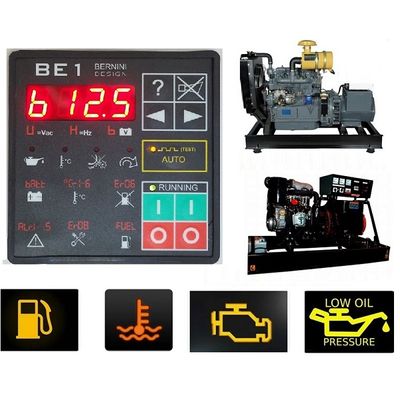
Bernini Design - Model Be1 -Universal Generator Controller for Automatic Low Battery Start
Using the Be1 controller you can set a LOW BATTERY VOLTAGE threshold (1). The engine will start after a programmable delay (3).
When the battery rises above the HIGH BATTERY VOLTAGE threshold (2), the delay timer (4) will start to count. When the timer (4) will expire, the engine will automatically stop.
GROUNDED IN THE CORE OF ELECTRICAL RULES
Do not connect the device as indicated in the following picture. When the charger delivers current, the drop of voltage on wires [A] and [B] generate high errors, as much as 1V, in the reading. Connecting to the correct point of the measurement cable is vital for a LOW BATTERY AUTO START module.
This is the correct way to connect the Be1 Low Battery Auto Start Module. The measurement cables are directly connected to the battery. This connection will allow precise battery voltage measurements.
1 Remove the DC supply. Push and hold the button [0], turn the supply on and hold the button [0] until the message [Lobt] is displayed.
2 Simultaneously push [?] and [Auto] to increase the low battery threshold. simultaneously push [?] and [ I ] to decrease the low battery threshold.
3 Push the button [→] to select the [Hibt] threshold. Simultaneously push [?] and [Auto] to increase the high battery threshold. simultaneosly push [ ? ] and [ I ] to decrease the high battery threshold.
4 Simultaneously push [ACK] and [→] for about 5 seconds.
5 Enter the programming mode and program an output (example output 4) with the option [15]. You may add a delay before starting and stopping by adjusting the parameters [P0] and [P1] (see Table 7.00). Save your settings by simultaneously pushing the [ACK] and [→] pushbuttons
6 Connect output 4 to the remote input (example input 4).