

Acrulog
Acrustat Software
FromAcrulog
For wireless download of Acrulog data, viewing and graphing data, configuration of loggers and access to the server for telemetry enabled models.
Most popular related searches
telemetry logger
data logger
scientific data
scientific data analysis
telemetry
telemetry data logger
telemetry data
automatic analysis
ACRUSTAT – ACRULOG DATA ACCESS
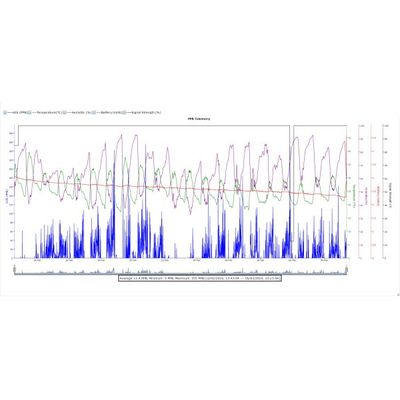
Custom Acrustat software has been designed for easy download and graphing of Acrulog data and configuration of Acrulog loggers. Keep a library of your scientific data for analysis at your fingertips and quickly configure your fleet of loggers for deployment.
- Custom-made package for Acrulog logger data
- Access to Acrustat server for telemetry logger data ( Acrustat server access with login. Available for telemetry loggers with server access, requires internet access for Acrulog logger and PC)
- Export data to a variety of formats including .CSV
- Clear log and set time buttons for quick logger reset
- Email data from Acrustat via email client (Designed for Microsoft Outlook 2016)
- Acrulog logger parameter set-up and configuration
- Instrument and session explorer for data analysis
- Automatic connect and pairing (subject to computer system setup and capabilities)
- Add labels, adjust axis ranges, and print direct
- Join sessions and overlay data on a single graph
- Graphing of Acrulog data
- Data analysis and presentation
- Joining and overlaying multiple sessions and graphs
- Configuration of Acrulog loggers
- Server access for modem loggers
- Operating System : Windows 7 (Windows 10 preferred)
- Memory : 1GB (Installed RAM) with 2GB free hard disk space
- Processor : Intel core i3 (core i5 preferred)
- Computer file directory (Session Explorer tab)
- Bluetooth® wireless technology : Bluetooth® 4.0
- Display Resolution : 800 x 600 at 100% (96 dpi)
- USB Connector : USB 3.0 (For USB Installation)
- Internet Connection : Required for Acrustat server feature
- (Only for telemetry enabled loggers, requires login details)
- Email Data : Email Data from Acrustat via Email Client (Designed for Microsoft Outlook 2016)
- Automatic Connecting and Pairing via Bluetooth® : Requires feature to be enabled. (subject to computer system setup and capabilities)
- PC Data Storage :Acrustat data base (Instruments tab)
- Computer file directory (Session Explorer tab)
- Exporting Data : Export data to a variety of formats including: .acrudata, .csv, & .jpg
- Adjust Parameters : Adjust Acrulog logger parameters when connected via Bluetooth®
- Server Data Storage : Acrustat Sever (Cloud system)
- Remote Parameters : Adjust most parameters remotely. Adjustment will only take affect upon next successful transmission of the Acrulog logger.