


- Home
- Companies
- EE Modeling System
- Software
- EEMS - Version Grid+ & CVLGrid - ...
EEMS - Version Grid+ & CVLGrid -Curvlinear Grid Builder Software for EFDC
Grid+ is a new generation grid building tool. This new tool replaces our long-running grid building tool, CVLGrid . Grid+ has been designed to make the grid-building process quick, intuitive, and robust enough for even the most challenging waterbodies. It is fully integrated into EEMS and allows the user to move seamlessly between grid building and running models.
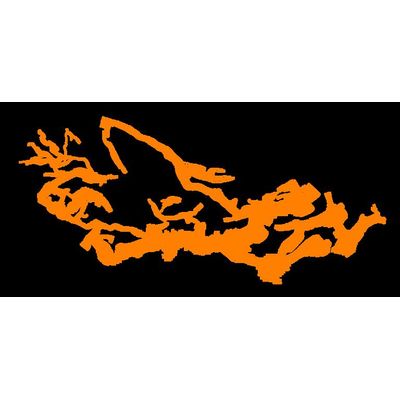
Grid+ can be used to produce very complex grids (such as the Amazon River and the San Joaquin-Sacramento River Delta), and very large grids exceeding half a million cells.
While our grid building tool may be used standalone, it has been optimized for use with EE and may be opened from within the EE GUI. This tool has been specifically designed for EFDC+ and allows the creation of model input files directly from the Grid+ interface. Moreover, unlike CVLGrid, Grid+ boasts online background maps, improved orthogonalization routines, and the ability to download online bathymetry data
EFDC+ and other hydrodynamic models such as ECOM, CH3D, and DELFT3D all require 2D curvilinear orthogonal or Cartesian grids. Grid+ is the ideal tool to support the building of these grids quickly and effectively.
EFDC+ and other hydrodynamic models such as ECOM, CH3D, and DELFT3D all require 2D curvilinear orthogonal or Cartesian grids. Grid+ has been designed as a tool to support the building of these grids quickly and effectively. Grid+ can be used to produce very complex grids (such as the San Joaquin-Sacramento River Delta below) and very large grids (>500,000 cells). Grid+ is the next generation of our tools after CVLGrid, with many features that allow users to be more efficient in grid building including creation of rectangular and radial grid forms, numerous shortcut keys.
To make building a grid as simple and physically representative as possible, Grid+ displays dynamic online background maps. Different maps are available and projected with lat/long coordinates. For those who are working offline, Grid+ offers the option of loading background bitmap images, including georeferenced Google Earth images, to display maps of the model domain.
Because all EFDC models require 2D curvilinear orthogonal grids, this grid-building tool has been optimized for use with EFDC+, EFDC_EPA, and EFDC_Hydro. When working with EE Modeling System (EEMS), the fact that Grid+ is an integrated part of the system makes the grid-building process even faster and allows you to iterate and make edits easily.
Once you have your background image and overlay files displayed, Grid+ has a range of tools to create your grid. Using the georeferenced data, you can build a series of discrete blocks, then connect them each in turn, building your grid. Grid resolution, IJ orientation, orthogonality, etc. are all available to iterate upon as needed. You’ll find the extensive Undo/Redo capability to be extremely useful during grid building.
Grid+ allows you to import grids from existing models, including practically any legacy EFDC model, ECOM, and CH3D models. Once imported, you can edit and refine the grid and save the revised grid out as a new EFDC+ model or in the grid format native to Grid+.
You can import, export, and edit a variety of third-party overlay and land boundary files to help visualize your model domain and guide you during the grid-building/editing process.
RGF Grid, AutoCad DXF files, and ESRI Shape files are some of the third-party files that are supported.
For hydrodynamic modelers, Grid+ provides many time-saving features that support an iterative grid building process. After building or loading an existing EFDC grid or third-party model grid into Grid+, a wide range of grid-editing tools are offered to allow you to refine, smooth, telescope, and fit the boundary of the model domain. You can then save your grid and load it directly into EE or export it to another modeling tool to build the final model.
One important feature of Grid+ is the ability to import an existing EFDC+ model grid, make small changes to the grid, and then write the entire model back out. This feature is available if your changes do not alter the model’s maximum I or maximum J (referred to as IC and JC variables in EFDC+). This allows you to improve orthogonalization quickly and iteratively or the fit to the land boundary, without having to generate a new model each time edits are made.
Grid+ imports 2D curvilinear orthogonal grids from a range of other models and formats. Once imported, you can display various attributes of the model, such as orthogonal deviation, cell size, and coordinates.
You can have complete control over the model grid with a wide range of tools for adding, deleting, and deactivating cells, moving grid nodes, grid coarsening, refinement, regularizing, telescoping, fitting to boundaries, and more.
Grid+ allows you to export a grid to be run directly by EFDC+ or load it into EFDC_Explorer (EE) and further configure it from there. You may also export the grid to many recognized grid formats for use in other modeling tools.
For complex riverine models, the model domain is often too complex to create a single grid that accurately represents the entire waterbody. In such cases, you may have to create several grids and connect them into a single grid. This can be accomplished smoothly with Grid+.
To build complex grids, you may need to create many small grids and then join them together in a modular fashion. Grid+ is designed to facilitate this process by saving each sub-grid in a separate file and allowing you to open, close, display, or hide each grid as required.
Grid+ also allows you to split existing grids, so that you can edit or refine certain sections before joining them up again.
A key factor in building grids that accurately simulate your domain is the grid’s orthogonality. Grid+ allows you to quickly and easily reduce the orthogonal deviation over the whole domain or over sub-sections of the domain.
Using Grid+, you can improve the orthogonality of the whole model domain with the push of a button, saving you substantial time in the grid customization process.
You can see this in the example shown to the left, where the grid is transformed from an average orthogonal deviation of 7.43 to 0.25 in one easy step.
Grid+ also has the ability to improve the orthogonality of a grid within a certain user-defined area. Grid+ applies several optimization tools some of which are similar to those of RGFGrid. Each of these will help you create a computationally sound grid.