

Huygens Essential Software
Huygens Essential is a versatile software suite engineered for both novice and experienced users to perform deconvolution and microscopy image processing. Compatible with Windows and Linux systems, the software simplifies the deconvolution process with a wizard-driven interface, making it accessible and easy to learn. Huygens Essential supports a wide range of image types, from 2D widefield to complex 4D multi-channel images, including multi-photon, spinning-disk, confocal, STED, and light-sheet microscopy. The software utilizes advanced rendering tools to provide high-quality visualizations and comparisons between raw and processed images. Key functionalities include batch processing, automatic background estimation, correction for bleaching effects, Z-drift correction, and spherical aberration correction. Moreover, it features GPU acceleration, handles up to 32 channels, and supports multiple file formats from various microscopy vendors. The intuitive interface is backed by the powerful algorithms used in Huygens Professional, ensuring both performance and quality. Huygens Essential also offers flexible licensing options, including computer-locked and floating licenses, making it a highly adaptable solution for diverse microscopy imaging needs.
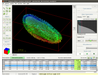
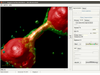
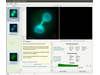
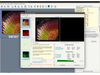
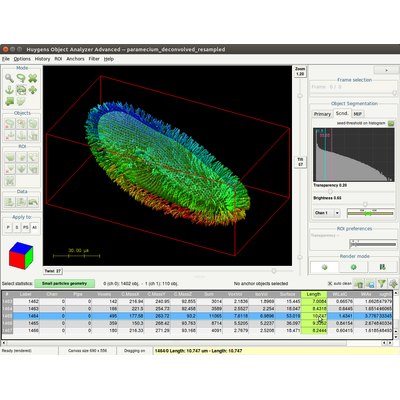
Huygens Essential is part of the Huygens Software, tailored for deconvolution and processing of microscopy images. Its wizard-driven user interface guides you through the process of deconvolving microscopy images. Huygens Essential is able to deconvolve a wide variety of images ranging from 2D widefield images to 4D Multi Channel multi-photon, spinning-disk, confocal, Array Detector, STED or light-sheet images. Comparison views of raw and deconvolved results is easily performed with the dual 4D slicer tool, and powerful and fast renderers produce high quality representations of your data. Based on the same image processing engine as Huygens Professional, Huygens Essential combines the quality and speed of the algorithms available in Huygens Professional with the ease of use of a wizard-driven intelligent user interface. With its cross-platform technology, and configurations for a computer-locked license, or Everywhere/Floating via a login, usage of Huygens Essential is extremely flexible!
Deconvolution: Accurately restore your images
- GPU acceleration option
- Guided Deconvolution procedure with parameter checking
- Generates Image Histograms to spot problems early
- Automatic Background Estimation
- Automatic Bleaching Effects correction
- Automatic deconvolution of Time Series
- Automatic correction for Spherical Aberration
- Automatic Z-drift correction
- Guides you along Multi Channel deconvolution
- Images progress Thumbnail representation
- Handles up to 32 channels
- Measure, store and deconvolve using your own Point Spread Function (PSF)
- Handles many File Formats
- Includes one full year of maintenance
- Remote displaying with X11, VNC or RDP
- Automatic or manual cropping in five dimensions (3D + time + channels)
- Batch image restoration via interactive Workflow Processor
Visualization: Explore your images in 3D
- Twin Slicer: Easy comparison of original and deconvolved data
- Ortho Slicer: Visualize your data in all orthogonal directions simultaneously
- Gallery Tool: View frames in a gallery style view
- Maximum Intensity Projection (MIP) renderer: Efficiently visualize large 3D datasets
- SFP Volume Renderer: Produces physically realistic 3D representations of your data.
- Surface Renderer (optional): Easily visualize objects in your 3D data
- Movie Maker (optional): Create sophisticated animations of your multi-channel 3D images.