


- Home
- Companies
- CAD Schroer GmbH
- Software
- Version M4 ISO - Piping Isometric ...
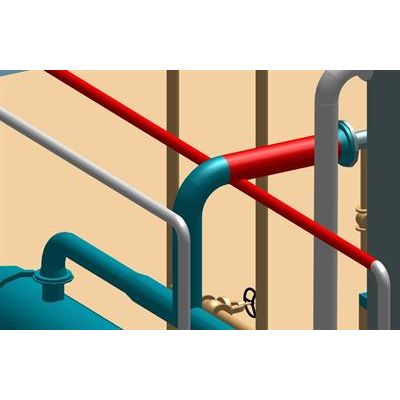
Version M4 ISO -Piping Isometric Generation Software
2D Isometric Drawings from 3D Pipe Designs: M4 ISO is the ideal tool for automatically generating unscaled pipe isometric drawings from your 3D design data.
Automatically Generate BOM & Spool Lists
The intuitive software create automatically from the pipework data 2D pipe isometric drawings, along with complete bills of material and pipe cut-length and spool lists for fabrication and transport considerations.
M4 ISO can be extended to process data from different 3D CAD and plant design systems.
Flexible and Configurable Iso Creation
M4 ISO can be used in automated or in manual mode, giving users more detailed influence over outputs. Its open data format provides a high degree of flexibility, allowing companies to configure their isometrics in line with corporate or project-specific requirements. Users can change their isometric drawings styles, as well as customise the system’s templates.
Include 3D View of Pipe on Iso Drawing
M4 ISO allows design engineers to include a 3D view of the relevant pipe segment with each isometric drawing, providing a welcome visual aid for fabricators and installers alike.
Automatic Mode
In automatic mode, M4 ISO generates and saves the required piping isometrics and related parts lists automatically, ready for fabricators and installers.
Manual Mode
Where specific formats or views are required, M4 ISO allows users to manually influence the output. A preview is provided for each isometric drawing, and users can change various settings, including the North angle. They can also move note text around the diagram.
BOM and Parts Lists
M4 ISO automatically generates configurable bills of material from the piping data generated by the 3D CAD or plant design system. BOMs can be placed directly onto an isometric drawing or exported to Excel, for example, for downstream use.
Pipe Cut Lengths
M4 ISO generates detailed cut-length lists, which are lists of individual cut pieces of pipe with end preparations, required for fabrication by the manufacturer.
Pipe Spools
M4 ISO also generates a list of spool pieces: sections of fully welded pipework delivered which are as a single piece. The system automatically recognises spool boundaries where components are not welded together, e.g. flanged connections or valves.
Notes on Pipework
M4 ISO recognises any notes attached to the pipework in the 3D designs and positions them in the appropriate place on the 2D isometric drawing.
Using Diagram Styles
Users can choose between a variety of different styles prior to automatically generating their isometrics. Each style defines a different level of detail, including the amount of information displayed for fabrication, and whether or not a 3D view of the pipe segment is included.
Templates
M4 ISO uses standard templates on the basis of which the piping isometrics are generated. These templates can be customised in line with specific corporate requirements.
Configurable Diagram Styles
M4 ISO allows administrators to configure their own isometric drawing styles according to company or project-specific requirements. The direction of the North angle, as well as the maximum number of components per drawing. Line styles, fonts, colours or the layer to be used can all be configured. Users can also customise the format and location of the bills of material, and cuts and spools lists.