
Refine by
Aermod Articles & Analysis
91 articles found
AERMOD is widely used for analyzing ambient air pollutant concentrations and is applied to buoyant and neutrally-buoyant releases. In AERMOD View, the Pollutant Type list is accessible through the Control Pathway's Pollutant / Averaging options. ...

AERMOD outputs numeric results with up to 13 significant figures. When emission rates are very high or very low, values may not fit within this default range. ...

Lakes Environmental Software developed Char View for the U.S. EPA to allow modelers to prepare site data, emissions, inventories, and air models quickly while avoiding common human errors in the ...
In addition, the agency required the ability to conduct complex air quality studies using AERMOD and CALPUFF. Given the vast area and complex operational logistics, they required a tool that could streamline offshore operator participation in the mandated annual survey program. ...
An environmental management authority in a Caribbean nation recently implemented the Ambient Quality Management Information System (AQMIS) to modernize and centralize its approach to air quality monitoring and management. Designed as a comprehensive platform, AQMIS integrates multiple data streams, analytics, and visualization tools to provide a holistic view of air quality. The system includes ...

With jet engines emitting CO2, NOx, PM2.5, UFPs, and ground support equipment (GSE) running on fossil fuels, the impact on human health, environmental sustainability, and regulatory compliance is a growing concern. Studies using AERMOD and CALPUFF models reveal that pollutants disperse unpredictably, affecting workers and nearby communities. ...
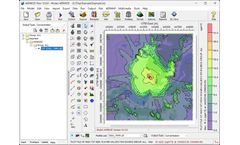
The AERMOD modeling system contains many flexible output options so users can define the types of output that will work best for their unique situations. Despite this flexibility, some components of AERMOD’s code are limited to specific units or file types. For example, users can modify the default emission & output units but these units are still ...
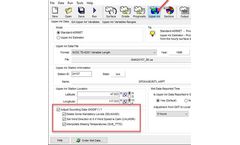
The AERMET meteorological data pre-processor contains many different features designed to aid users in performing quality control tasks as data are processed. This includes the ability to audit specific variables, modify valid data ranges, and more. One feature built into AERMET’s Upper Air Pathway is designed to check for potential problems within the sounding and potentially correct ...
Most air dispersion models use simple text files for reading inputs and writing output data. To display these files, Lakes Environmental’s applications use the system’s default text editor. Users may prefer to use a different text editor to utilize different functionality or format data differently. To take advantage of these additional features, you can change the default text editor ...
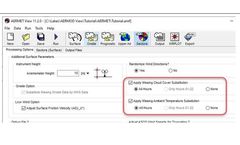
AERMET – the meteorological pre-processor for the AERMOD dispersion modeling system – contains internal options which can boost data quality by filling short gaps of missing cloud cover and temperature data. ...
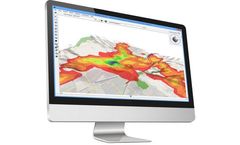
With each successive update to the AERMOD modeling system published by the U.S. EPA to the Support Center for Regulatory Atmospheric Modeling (SCRAM) website, Lakes Software updates our AERMOD View and AERMET View applications to support the new models. In previous Modeling Tips, we’ve discussed how to choose earlier versions of the AERMOD ...
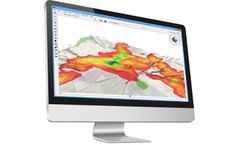
For a very long time, using AERMOD to calculate the maximum annual average over a multi-year period required multiple model runs with each year being processed separately. ...
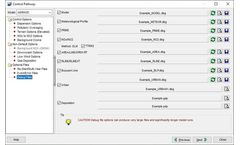
When conducting an air dispersion modeling analysis with the AERMOD modeling system, modelers may encounter situations where they want to validate or verify the model’s calculations. ...
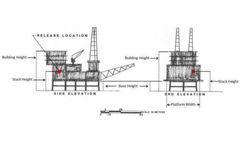
With the latest release of the AERMOD model dated 22112, the U.S. EPA has continued to expand the formulated capabilities of the model. Most of these updates have been added as ALPHA non-default options, a concept we covered in a previous modeling tip. AERMOD 22112 contains 6 new ALPHA options which are described below: Platform Downwash Taken from the Offshore ...
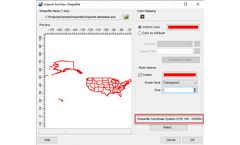
Because these files are georeferenced, it is important that they are properly identified when importing them into applications like AERMOD View and CALPUFF View. When importing a shapefile, start by using the Import | Base Maps | Shapefile menu ...

It is very important for all modelers (both within and outside of the U.S.) to understand how AERMOD handles this. In particular, U.S. users need to be familiar with the special tools available to help them analyze these results, and non-U.S. modelers (or anyone using AERMOD for a purpose other than the U.S. NAAQS standards) need to know how to disable ...
BREEZE AERMOD provides modelers with the ability to import model objects from existing AERMOD related files. The supported files include EPA AERMOD and ISC input files (.dat), BREEZE AERMOD input files (.ami), source files (.pnt), receptor files (.rec), and building files (.bld). ...
Additionally, Risk Analyst provides modelers with the ability to import source data from AERMOD input (.inp) files as well as modeled impacts from AERMOD plot (.plt) files, thereby streamlining and simplifying the HHRA process. ...
The BREEZE Remote Modeling System (BRMS) is a Web-enabled application that executes AERMOD model runs in a fraction of the time they take on a desktop computer, thereby assisting modelers in reducing model runtimes on large or highly time-sensitive AERMOD model runs. ...
Follow the steps below to import an image file using a reference point and known distance between two points: In BREEZE AERMOD, double check that the Projection for the AERMOD scenario is set to the appropriate coordinate system in the Project tab. Whether you are importing a map into BREEZE AERMOD or BREEZE 3D Analyst, you will do so in the ...